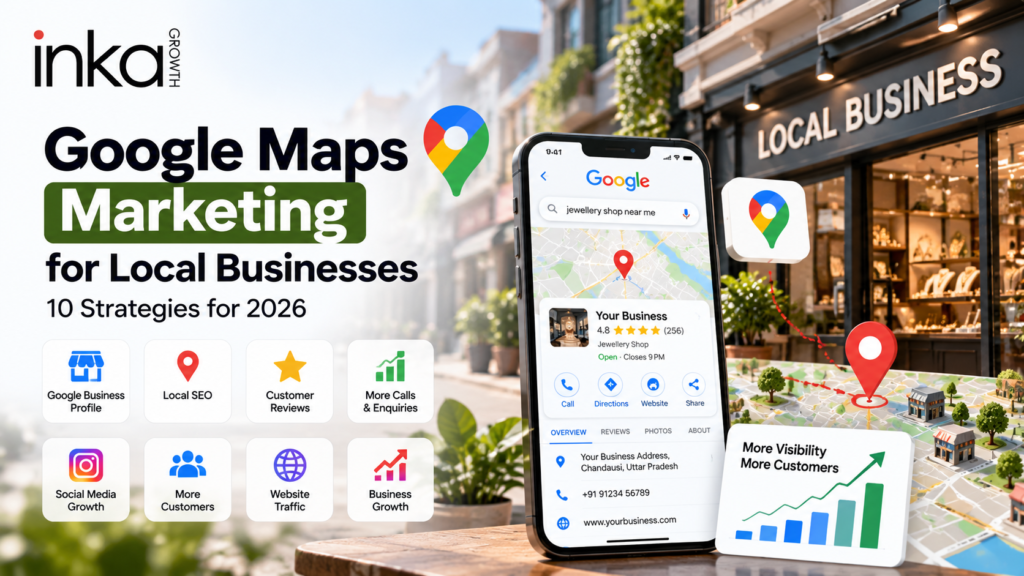

Google Maps for Business can help local businesses improve visibility, attract nearby customers, generate more calls, and make it easier for people to find important business information through Google Search and Maps.
A properly managed Google Business Profile can help customers discover your business, understand your services, check your location, read reviews, see photos, and contact you more easily.
For local businesses, Google Maps should not be treated only as a location pin. It can become an important digital visibility and customer acquisition channel.
At INKAGROWTH, we help businesses create structured digital growth strategies that combine Google visibility, websites, SEO, social media, advertising, branding, and lead generation.

The latest tips and news straight to your inbox!
Why Google Maps for Business Matters in 2026
Local customers usually want quick and relevant information.
They may search for terms such as:
- Hospital near me
- Jewellery shop near me
- Digital marketing agency near me
- Restaurant near me
- Best salon nearby
- Website developer in my city
- Local business services
When businesses appear in relevant local searches with accurate information, good photos, professional branding, and genuine customer reviews, potential customers can understand the business more easily.
This is why Google Maps marketing for local businesses should be part of a broader local digital strategy.
Google itself provides a dedicated Google Business Profile Help Center where businesses can learn about verification, profile management, photos, reviews, services, and profile performance.
1. Complete Your Google Business Profile
The first step in Google Maps marketing for local businesses is completing your business profile properly.
Important information should include:
- Correct business name
- Accurate address
- Contact number
- Website
- Business category
- Working hours
- Products or services
- Business description
- Photos and videos
- Service areas where relevant
Incomplete or outdated information can create confusion for potential customers.
If your contact number, address, working hours, or website changes, update your profile as soon as possible.
Consistency is also important across your website, social media pages, directories, and Google Business Profile.
Google Maps for Business works best when customers get a consistent experience across Google, your website, and social media profiles.
The latest tips and news straight to your inbox!
2. Select the Correct Business Category
Your business category helps Google understand what type of business you operate.
For example, a hospital should not select an unrelated healthcare category, and a jewellery showroom should choose categories that accurately describe the business.
Your primary category should represent your main service or business activity.
Additional categories can be added when they genuinely describe other important services.
Avoid selecting irrelevant categories only because you want to appear in more searches. A clear and accurate business profile is more useful to both customers and search engines.
3. Add High-Quality Business Photos
Photos can significantly improve how professional a Google Business Profile looks.
Businesses should upload authentic photographs rather than relying entirely on generic stock visuals.
Useful images may include:
- Business exterior
- Business interior
- Products
- Team members
- Service areas
- Facilities
- Work process
- Customer-facing environment
For example, a hospital can upload real building and facility images. A jewellery business can showcase its showroom and products. A restaurant can upload food and interior photographs.
Real visual content can help potential customers understand what to expect before visiting.
Google provides official guidance about managing Business Profile photos and videos.
4. Use Google Reviews to Build Trust
Customer reviews are one of the most visible elements of a local business listing.
Businesses should encourage genuine customers to share honest feedback about their experience.
It is also good practice to respond professionally to reviews.
Positive reviews can be acknowledged with appreciation, while negative reviews should be handled calmly and constructively.
Avoid fake reviews or misleading review practices.
Instead, focus on delivering a strong customer experience and making it easy for satisfied customers to leave genuine feedback.
Reviews should be treated as part of reputation management, not simply as a number.
The latest tips and news straight to your inbox!
5. Improve Local SEO Alongside Google Maps
Google Maps marketing for local businesses works better when supported by a properly optimized website.
Your website should clearly explain:
- What your business does
- Where you operate
- Which services you provide
- How customers can contact you
- Why customers should choose your business
Location information should be easy to find.
Businesses can also publish useful location-based and service-based content.
For example, a digital marketing business operating in Chandausi may publish useful information around digital marketing, SEO, website development, and local business growth.
You can read our existing guide on Digital Marketing in Chandausi for another example of location-focused content.
Google’s official SEO Starter Guide also explains how businesses can make website content easier for search engines to understand.
6. Keep Business Information Consistent Online
One common problem in local marketing is inconsistent business information.
For example, one platform may display an old phone number while another platform shows a new one.
Your business name, address, and phone number should remain consistent wherever possible.
Check:
- Google Business Profile
- Website
- Business directories
- Online listings
- Contact pages
Customers should not have to guess which information is correct.
Consistency can also make your online business presence look more professional.
7. Use Your Website to Support Google Maps Marketing
A strong Google Business Profile should connect customers to a useful website.
Your website should not simply exist as an online brochure.
It should help customers take action.
Important website elements may include:
- Clear service pages
- Contact forms
- Click-to-call buttons
- WhatsApp buttons
- Location details
- Google Maps embed
- FAQs
- Testimonials
- Appointment or enquiry forms
At INKAGROWTH, we work across SEO, website development, social media marketing, lead generation, branding, and performance marketing so different digital channels can support one another.
You can also learn more About INKAGROWTH and how our audit-to-growth process works.
8. Create Local Content Regularly
Local content can strengthen the connection between your business, services, and location.
Businesses can create content around:
- Local customer questions
- Service guides
- Industry tips
- Business updates
- New facilities
- New products
- Seasonal content
- City-specific topics
- Local FAQs
For example, a hospital might publish healthcare awareness articles relevant to its community.
A jewellery store might publish product education and buying guides.
A digital marketing agency may publish guides about SEO, social media, branding, Google Maps, and online lead generation.
Regular content can support both search visibility and customer trust.
The latest tips and news straight to your inbox!
9. Combine Google Maps with Online Branding
A business listing should visually match the rest of your brand.
Your logo, colours, photography, website, social media, and communication style should feel connected.
This creates a more professional customer experience.
A customer may discover you on Google Maps, then visit Instagram, then check your website before contacting you.
If every platform looks completely different, the business may appear inconsistent.
You can read our guide on Online Branding for Small Businesses to understand how branding, websites, SEO, and social media can work together.
10. Track Enquiries and Business Outcomes
The goal of Google Maps marketing for local businesses should not be limited to getting profile views.
Businesses should also track meaningful actions such as:
- Calls
- Website visits
- Direction requests
- WhatsApp enquiries
- Appointment requests
- Leads
- Store visits
- Sales opportunities
This allows businesses to understand whether their local marketing strategy is actually supporting growth.
Google Business Profile provides performance information that can help businesses understand how customers interact with their profile.
You can review Google’s official information about Business Profile performance.
Google Maps Marketing for Local Businesses and Social Media
Google Maps and social media should not work separately.
Instagram and Facebook can help customers discover your brand through content, while Google Search and Maps can help customers find important business information quickly.
A customer may first see an Instagram Reel, later search the business name on Google, check reviews, visit the website, and then call.
This means businesses should build a connected digital journey.
Social media should build awareness.
Google Maps should support local discovery.
The website should provide detailed information.
Advertising can help generate faster reach.
Branding should keep all of these channels visually consistent.
The latest tips and news straight to your inbox!
How INKAGROWTH Helps with Google Maps Marketing for Local Businesses
At INKAGROWTH, our approach to Google Maps marketing for local businesses is not limited to updating a listing.
We look at the wider digital presence of the business.
This may include:
- Google Business Profile optimization
- Local SEO
- Website optimization
- Social media management
- Content strategy
- Branding
- Meta Ads
- Lead generation
- Business consultation
- Digital audits
The objective is to create a more connected customer journey.
For example, a business listing can direct customers to a stronger website. SEO content can improve search visibility. Social media can improve awareness. Reviews can strengthen credibility. Paid advertising can help generate additional reach.
You can explore our marketing results and growth case studies to understand the type of digital improvements businesses can focus on.
Common Google Maps Marketing Mistakes
Businesses should also avoid some common mistakes.
Using Incorrect Business Information
Old numbers, incorrect addresses, or outdated opening hours can create customer frustration.
Ignoring Reviews
Customers may notice when businesses never respond to reviews.
Uploading Poor-Quality Photos
Blurry, outdated, or unrelated images can make a listing look neglected.
Keyword Stuffing the Business Name
Use your genuine business name instead of trying to force multiple keywords into the listing.
Ignoring the Website
Google Maps visibility is stronger when customers have a professional website to visit after discovering the business.
Creating a Profile and Never Updating It
Local marketing requires ongoing maintenance rather than one-time setup.
The latest tips and news straight to your inbox!
Final Thoughts on Google Maps Marketing for Local Businesses
Google Maps marketing for local businesses can become an important part of a complete digital growth strategy.
A properly managed profile can help customers find your location, understand your services, view photos, read reviews, visit your website, and contact your business.
However, Google Maps should not be treated in isolation.
The strongest digital presence usually connects Google Business Profile optimization with SEO, website development, branding, social media, content marketing, and lead generation.
Businesses that consistently maintain accurate information, genuine reviews, strong visuals, useful content, and clear customer pathways can create a more professional local presence.
Grow Your Local Business with INKAGROWTH
If your business needs a stronger online presence, INKAGROWTH can help you build a structured digital growth strategy.
Our services include:
- Google Maps Optimization
- Local SEO
- Social Media Management
- Meta Ads
- Lead Generation
- Website Development
- Branding
- Content Strategy
- Business Consultation
- Digital Growth Planning
Visit INKAGROWTH to learn more about our digital marketing services.
INKAGROWTH – Digital Marketing & Business Growth Agency
Location: Chandausi, Uttar Pradesh, India
Website: www.inkagrowth.com
Email: info@inkagrowth.com
Phone: +91 93898 26074,9368582055